The best camera setup for card breaks (Whatnot and Fanatics compliant)
By Elan Harpaz · Published 2026-07-23
Breakers get judged on trust. The overhead-plus-closeup rig that keeps every card visible, survives platform compliance rules, and reads serial numbers on stream.
1080p30 is your platform's practical ceiling. YouTube or Kick allow higher than Twitch standard.
Buy links are affiliate links: we earn a commission at no extra cost to you. Prices are tracked estimates, not live prices. Full disclosure
| Component | Pick | Price | |
|---|---|---|---|
| Camera | Logitech MX Brio 4K Sharp 4K webcam with strong low light. The premium plug-and-play pick. Buy on Amazon | $169.99 | Buy on Amazon |
| Audio | Shure MV7 The creator-favorite hybrid USB/XLR dynamic. SM7-style sound without the fuss. Buy on Amazon | $299 | Buy on Amazon |
| Mic Arm | Elgato Wave Mic Arm LP Low-profile boom arm that stays below the frame and routes cables internally. Buy on Amazon | $99.99 | Buy on Amazon |
| Lighting | Elgato Key Light Air Desk-clamp LED panel with app control over brightness and temperature. Buy on Amazon | $100 | Buy on Amazon |
| Software | OBS Studio Free, open-source broadcast software. On a PC it is also your encoder, up to 4K with a decent GPU. Learn more | Free | Learn more |
Card breaking is a trust business: buyers are paying for spots in a box they will never touch, watched over a camera they have to believe. The platforms know it, which is why camera setups for breakers are not a style choice but a compliance requirement. Here is the rig that satisfies the rules and sells the hits.
The three-camera break rig
- Overhead cam on a boom arm: the full break board, every card visible, the compliance shot
- Close-up cam: tight on the rip so corners, surfaces, and serial numbers are readable
- Face cam: you, because the reaction to a hit is the product
The overhead camera is the anchor. Mount a webcam on a boom or desk arm pointed straight down at the board, frame it once, and never touch it mid-stream. For the close-up, a camera with real zoom or a phone clamped near the rip zone both work; what matters is that a buyer can freeze the frame and read a serial number.

Overhead pick: 4K resolution means the wide board shot still resolves individual cards.
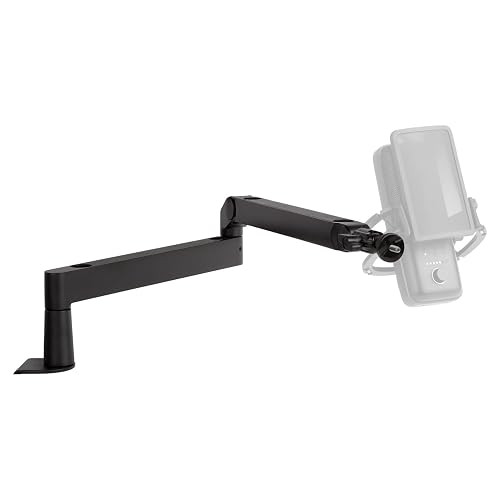
A desk boom arm does double duty holding the overhead cam over the board.

The close-up cam breakers name most: fast autofocus that nails a card held up to the lens.
A 10x optical zoom streaming cam built for exactly this: reading serials from across the desk.
Kill the foil glare
Chrome and foil cards are mirrors, and a single hard light turns every hit into a white hotspot. Two soft lights at 45 degrees to the board, slightly above card level, keep the shine without the blowout. Whatnot’s own production guide tiers lighting kits from about $140 to $570; a two-light softbox setup at the low end of that covers a break table.


Frequently asked
What stream quality does this 1080p desk build hold?
This 1080p desk build holds 1080p30 on Whatnot, planned against a budget of about 3,150 kbps with the stream itself sitting near 3,150 kbps on the wire. That is a conservative planning figure with headroom built in, not a peak, so it is what the build should hold on an ordinary day rather than its best ever result.
How much upload speed does this 1080p desk build need?
About 4.5 Mbps of sustained upload to run 1080p30 comfortably. That is the 3,150 kbps this build actually puts on the wire plus the headroom that stops a bitrate spike or a moment of packet loss from turning into a buffer. Planning at exactly the stream bitrate is how streams end up stuttering on connections that look fine on a speed test.
How much does this 1080p desk build cost?
$668.98 in hardware as specified here, with no recurring cost. Prices are tracked estimates rather than a live feed, so treat them as a planning number and check the retailer page before buying.
What is the bottleneck in this build?
What stops this build going a tier higher is the platform. You are at its practical ceiling, so the only way higher is a destination that accepts more, such as YouTube or Kick instead of Twitch standard. Naming the actual limit matters because the expensive upgrade people reach for first is usually not it.
About this guide. Written by Elan Harpaz. We do not lab-test hardware. Every quality verdict on this page is a planning budget computed from a published model, and every price is a tracked estimate rather than a live one. How the numbers are derived: methodology. How picks are chosen: editorial policy.
Build on this in the configurator