The best capture card for streaming: cameras, PS5, and Xbox
By Elan Harpaz · Published 2026-07-30 · Updated 2026-08-06
Three cards, two completely different jobs. Passthrough is the spec that splits them, and it is about what you see, not what your viewers get.
1080p60 is your platform's practical ceiling. YouTube or Kick allow higher than Twitch standard.
Buy links are affiliate links: we earn a commission at no extra cost to you. Prices are tracked estimates, not live prices. Full disclosure
| Component | Pick | Price | |
|---|---|---|---|
| Camera | DJI Osmo Pocket 3 Gimbal cam with great low light, USB webcam mode, and DJI mic pairing. The IRL favorite. Buy on Amazon | $495 | Buy on Amazon |
| Audio | Elgato Wave:3 USB condenser with onboard mixing and a clean, bright vocal tone. Buy on Amazon | $134.99 | Buy on Amazon |
| Capture Card | Elgato Cam Link 4K Pulls a clean HDMI feed into an encoder or PC as a webcam. The standard. Buy on Amazon | $89.99 | Buy on Amazon |
| Software | OBS Studio Free, open-source broadcast software. On a PC it is also your encoder, up to 4K with a decent GPU. Learn more | Free | Learn more |
A Real Camera Needs Capture is a named rule here for a reason: webcams announce themselves to a computer as USB video devices, and cameras and consoles do not. They emit HDMI, and a capture card is the box that converts HDMI into something OBS can see. That is the whole function. Everything below is about which of two jobs you are buying it for.
| Card | Tracked price | Max capture | Passthrough | Form |
|---|---|---|---|---|
| Elgato Cam Link 4K | $75 | 1080p60 / 4K30 | USB stick | |
| AVerMedia Live Gamer Mini | $100 | 1080p60 | External box | |
| Elgato HD60 X | $180 | 1080p60 / 4K30 | 4K60 with VRR | External box |
Job one: a camera into OBS
If the source is a mirrorless body, a DSLR, or an action cam, there is no monitor at the other end and passthrough is a feature you will never plug into. The Cam Link is a USB stick with an HDMI socket, it costs $75 tracked, and it does exactly this. Three things still have to be true of the camera itself, and the rule page spells them out: it must output a clean feed with no menu overlay, it must not stop after a recording-limit timeout, and it must run on wall power rather than a battery. Skip any of those and you get the familiar camera that works for ten minutes.
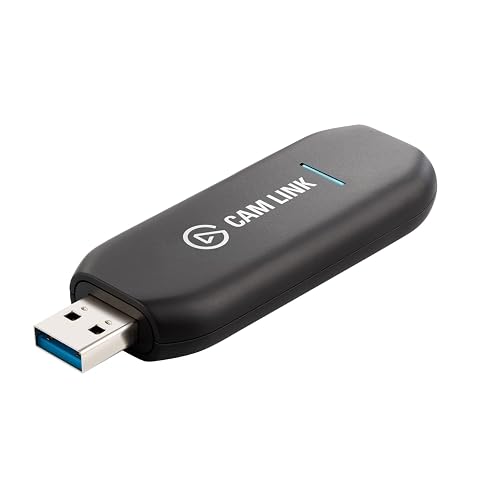
The camera answer at $75 tracked. Nothing on the box you are not using, which is the point.
Job two: a console, where passthrough is the whole product
A console is plugged into a television you are looking at, so the card sits in the middle of that link and has to hand the signal onward untouched. That is passthrough, and on the HD60 X it carries 4K60 with variable refresh rate while the capture side sends 1080p60 to OBS. You keep the game you paid for; the stream gets the resolution the platform would have capped it at anyway under The Twitch 6000 Ceiling. Passthrough is for you, not for viewers.

The console pick at $180 tracked. 4K60 passthrough with VRR is the reason to spend $105 more than the Cam Link.
The one I would not buy
The AVerMedia Live Gamer Mini at $100 tracked is the middle option that loses both ways. For a camera it captures the same 1080p60 as the $75 Cam Link, costs $25 more, and is a box on the desk instead of a stick in a port. For a console it has no passthrough, so your TV is stuck with whatever the card captures. It is a fine card in a vacuum and there is no build on this site where it is the right answer.
Plan the desk build around itThe configurator flags whether your camera needs capture at allFrequently asked
What capture card do you need for a PS5?
One with 4K60 passthrough, so the console still drives your TV at full rate while the card sends 1080p60 to OBS. The Elgato HD60 X is the pick in our catalog at $180 tracked. Whichever you buy, turn off Enable HDCP in the PS5 system settings first or the capture is a black screen.
Do you need a capture card for a webcam?
No. A webcam already presents itself to the computer as a USB video device, which is exactly what a capture card exists to turn an HDMI signal into. Capture is for cameras and consoles whose only output is HDMI.
About this guide. Written by Elan Harpaz. We do not lab-test hardware. Every quality verdict on this page is a planning budget computed from a published model, and every price is a tracked estimate rather than a live one. How the numbers are derived: methodology. How picks are chosen: editorial policy.
Build on this in the configurator